
Welcome to the March Q&A episode!
Topics discussed include:
- Do Nested Goals work in the work setting, and if so, would you do the planning for both at the same time, or separate things out? (Episode mentioned is this one!)
- How to plan your planning (very meta – but seriously!) – both at larger and smaller time scales
- How to plan for community engagement or activism?
- Seeking help on syncing Outlook and Google Calendar (listener wisdom requested!)
- Suggestions for mood tracking
Plus, listener Stephanie gives her take on Ramona & Ruth Planners.

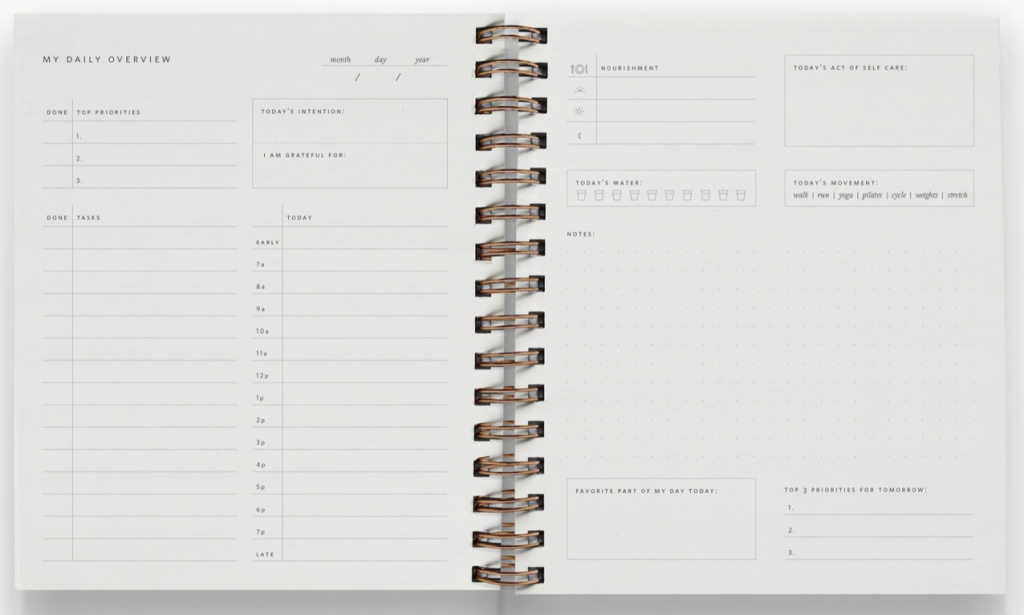
I have not seen one IRL but Stephanie’s rec has me intrigued! Note: this year’s BLP Live registration will be sent out via my newsletter on Wednesday! Once again, it will be in Hollywood Beach, with this year’s dates from Nov 5 – 7.
Based on alum registration (we extended to them first), we are likely to sell out again this year so please make sure you are subscribed to receive the info on time if you are interested in attending!
March Podcast Sponsors:
IXL: Make an impact on your child’s learning, get IXL now. Best Laid Plans listeners can get an exclusive 20% off IXL membership when they sign up today at https://www.ixl.com/plans.
Green Chef: Healthy meals that fit your nutrition goals (and are delicious too!). Head to greenchef.com/50bestlaid and use code 50bestlaid to get fifty percent off your first month, then twenty percent off for two months with free shipping.
Mint Mobile: Save money by changing your wireless plan to Mint Miobile! Shop plans at mint mobile.com/BLP.
PrepDish: Healthy meal plans straight to your inbox (and now with easy Instacart ordering!). Visit prepdish.com/plans for a free 2-week trial.

10 Comments
For your listener with the calendar integration question- I use google for home and outlook for work. I combine both of them into my Apple calendar- they both pull in pretty well, just make sure you are always signed into both accounts in your calendar settings in your iphone or apple product.
This seems like a great solution if it works well – thanks so much for sharing! I will definitely forward all the tips to the listener!
This is also what I do. Apple calendar as one source of truth with family calendar and outlook on my phone
thank you Adrienne! Seems so simple, I’m really glad it works!
Like Farheeb, I use outlook for work and google for personal, but there are times where personal needs to be on my work calendar, or a work happy hour needs to be on my personal. I just forward the meeting notice from one calendar to another. That way if there are any updates, the revised notice gets forwarded. Examples are doctors appts during the workday, etc. (note: if the work mtg is work and not social, then I just block the time on my personal calendar but don’t forward the notice for information protection reasons)
If, like your listener, I was doing this with my husband, this is how I would handle it as well. Assuming normal work hours, neither of you needs to see all those work commitments during the day. This scales with kids too – my son uses Apple Cal and we just include each other on mtg notices that need awareness.
So excited to hear you on “deep questions “ podcast today! Can’t wait to finish listening on my commute home today
awww yes!! I was so excited to be on!!
Me too!
I started using the Bearable app at the beginning of the year and it allows you to track basically anything and as much or as little as you like. Great for mood and energy tracking. I’ve also been using it for personal health tracking and caregiving observations for a family members health. It also tracks trends and creates graphs for all symptoms, which is fun to explore.
I think it’s $24/yr, but feels very worth it for me.
ooh good to know- thank you!!